reduces the need to perform additional time studies – freeing observers for other tasks,
is 95% faster than time study – can also be used to estimating and methods analysis,
deskills the standards development process – can be used by staff at any level.,
increases consistency and traceability – improves costing and planning,
creates a centralized knowledge base – data becomes a corporate asset.
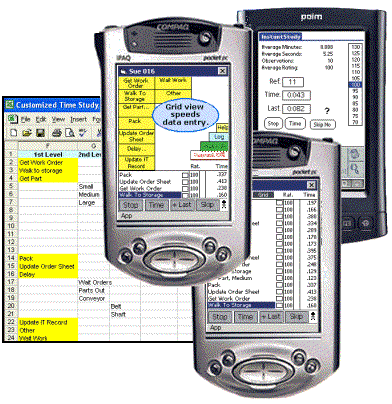
Step 1. Time Study Data Collection is Performed on the PDA.
Set up time study templates in Excel and download them to Timer Pro on your PDA and collect time study data.
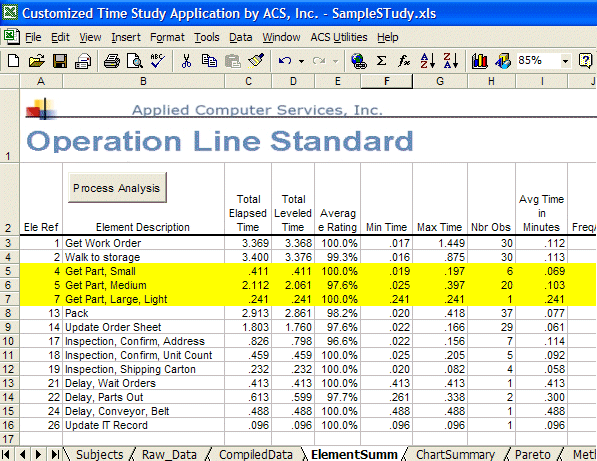
Step 2. Time Study Data is Instantly Summarized in Excel on the PC.
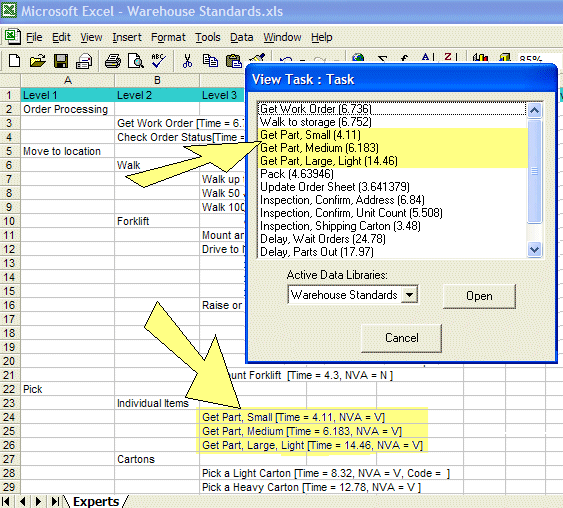
The results of a Timer Pro time study are summarized in Excel. This example of creating time study standard data will follow the use of the highlighted times for the activity Get Part and its 3 variations: Small, Medium and Large.
By clicking on the Process Analysis button in cell B2, the average time in column I is converted to seconds for all elements in the time study and sent to the Task List as discussed in the next step.
Step 3. Time Study Results are Filed into an Excel-based Standard Data Library.
The standard data library is organized by indenting related data on subsequent rows and columns.
For example, the Get Part options are logically placed under the Pick / Individual Items as follows:
Cell A22 Pick
Cell B23 Individual Items
Cell C24 Get Part, Small
Cell C25 Get Part, Medium
Cell C26 Get Part, Large
The activities from the time study are simply highlighted and copied from the Task List window and pasted into the appropriate location (cell) in the Excel data library.
Each standard data library supports up to 20 levels of data structure and up to 1000 rows
Step 4. Standard Data Library is Accessed by the Data Application Expert.
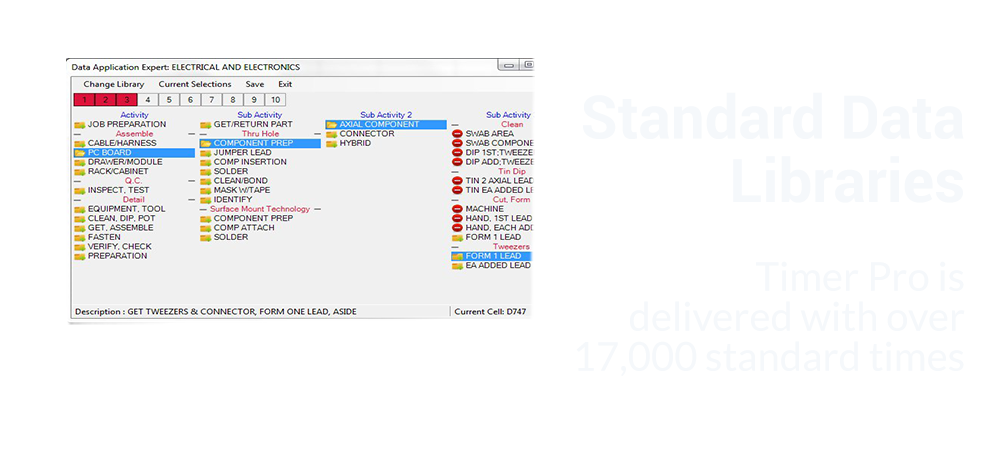
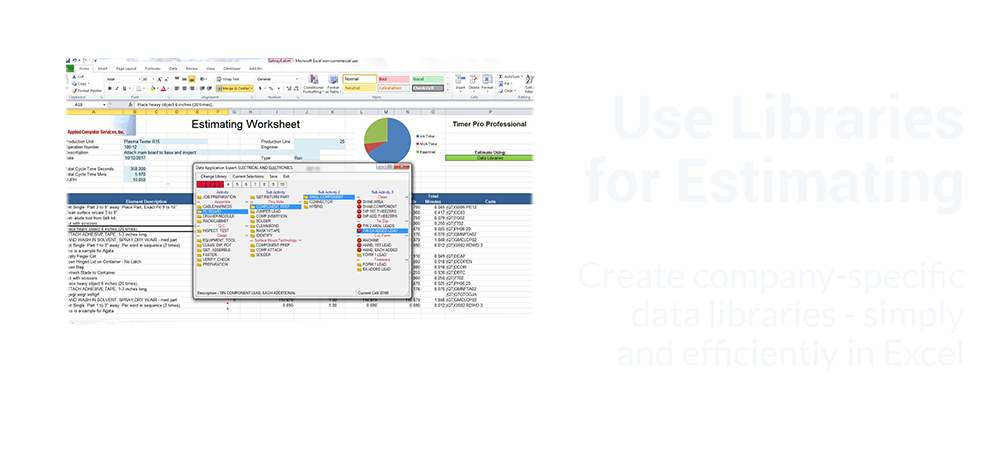
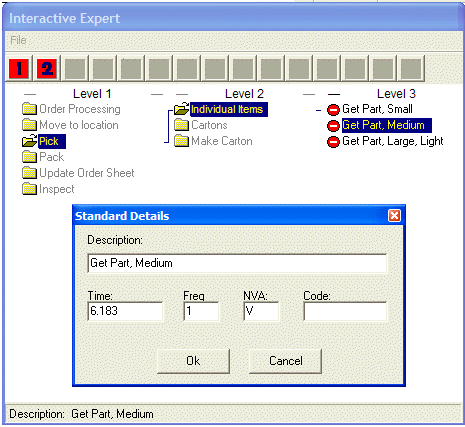
Standard data libraries can be called from any Excel workbook. The structure defined in the standard data library Excel sheet is presented as a series of folders that are opened to drill down to the standard time for the task i.e. the time that came from the original source time study.
In the example shown here:
The Pick folder was opened
Followed by the Individual Items folder
Then the Get Part, Medium part was selected
As soon as the Get Part, Medium selection is clicked the standard data details are retrieved
The activity description and frequency of occurrence can then be updated as required
Users can rapidly navigate around the standard data library to select all the activities that represent the job they are estimating.
Step 5. Select Time Study Values from the Data Application Expert to Create New Standards.
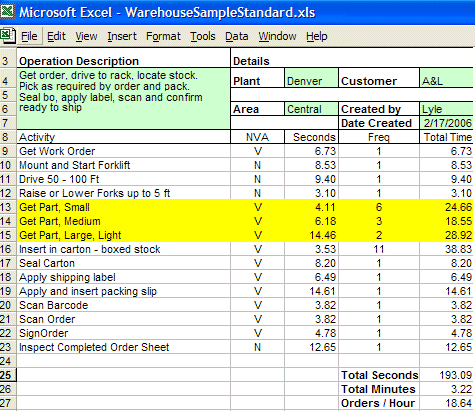
All time study standard data selections made from the data application expert are inserted into the Excel sheet to summarize the job being studied. Note that the standard times are multiplied by the frequency to give the total time for each activity. The format of the Excel template is totally under the users control.
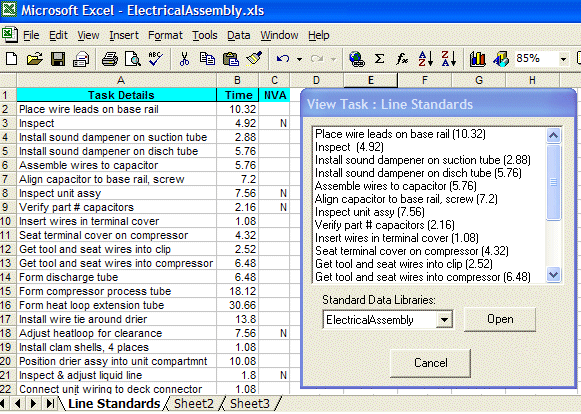
Step 6. Your Existing Time-related Data in Excel Format can be Added to any Standard Data Library.
If you have standard time data in Excel they can be imported into Timer Pro Professional’s process analysis and from there added to and standard data library. Any number of standard data libraries can be maintained in Timer Pro Professional.