Standard work instructions are used to maintain and improve productivity, quality and safety. They provide a documented process sequence to perform work with the most efficient method in the designated takt (cycle) time. Used as part of lean and kaizen initiatives they can highlight opportunities to make improvements in working procedures to reduce non value adding work content. As improvements are implemented it is critical that your standard work instructions are promptly updated to reflect the changes – doing this manually is a major challenge for those tasked with keeping working instructions up to date.
Create and Maintain Your Work Instructions Directly from your Process
Timer Pro’s Work Instruction Module Integrates Directly with your Current Excel Formats
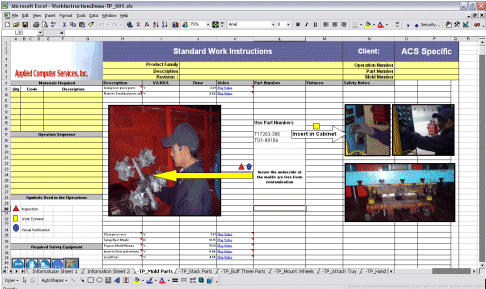
Allowing you to embed your own customized Timer Pro work instruction format – including video clips – in your documents. This allows you to add other critical process supporting data (e.g. tooling, components, safety items, graphics etc) as your wish to support your operations unique needs
Automatically identifying changes and updates that are made to the process in Timer Pro generating your revised work instruction package – including copying all your supporting data (e.g. tooling, components, safety items, graphics etc) from its original location in the process to its new location in the process with zero manual effort and eliminating potential manual errors
Creating a complete traceable revision history as process improvements are implemented via Timer Pro. This history automatically details every process step that was move, added or deleted.
Timer Pro Greatly Simplifies Work Instruction Maintenance
These features replace the enormous amount of manual maintenance traditionally required to maintain standard work instructions.
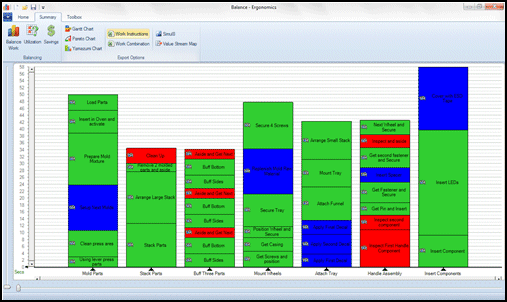
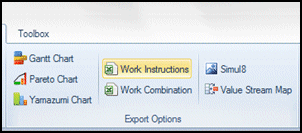
From the line balance, clicking the right mouse button brings up the menu where you can export the process to your work instructions.
Google Unwanted Software Policy Compliance Statement
We hereby attest that the software application offered here is developed, owned and distributed by us for the purposes of process measurement to support your continuous improvement initiatives; will not affect the performance of your system hardware or change any system settings; is easily completely removable from your system; does not collect or transmit any private information in any form; is not bundled with any other software; is free of malware.